Production Routing overview
Understand how production runs, routings, and routing templates work together to give every part its own path through your shop.
A work order is a single production run for a part — its own ordered sequence of operations (its routing) and its own independent quantity tracking. Because a part can have multiple work orders, you can run the same part twice with different routings: an extra QC pass on one run, a rush path that skips post-processing on another. Each run is tracked separately from start to finish.
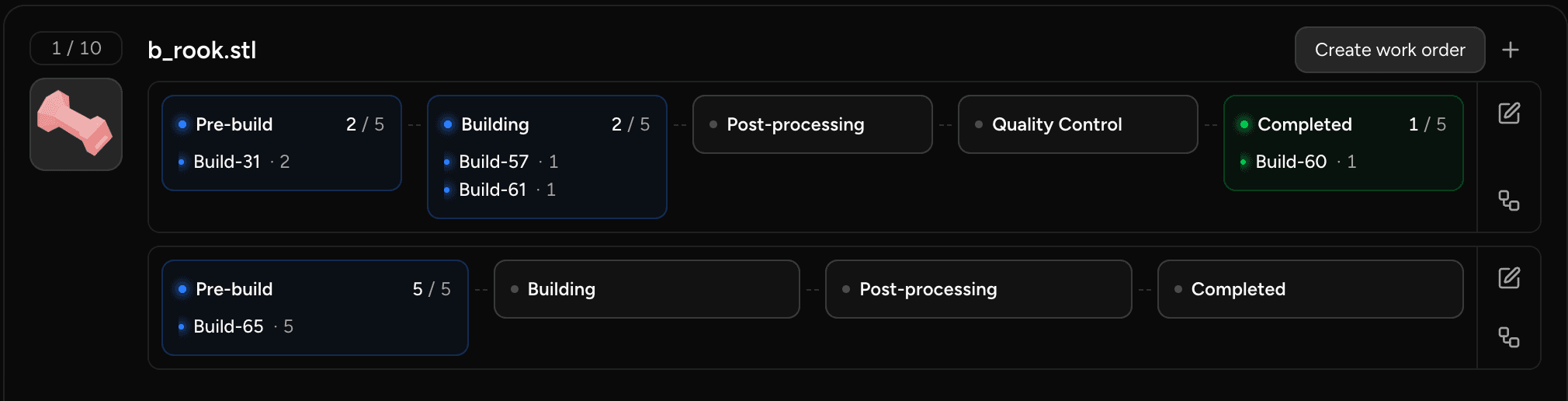
Routings and operations
A routing is the ordered list of operations a work order moves through. Each step in a routing points to an operation (a stage in your shop — a machine, a process, a quality check). The routing is what the floor tracks: as parts progress through operations, balances update on that work order alone.
When a work order is created, its routing is snapshotted onto the run. The snapshot is independent of anything that happens later — editing a part's routing templates, adding a new operation to your process, or changing a template's steps after the fact has no effect on work orders already in progress.
Routing templates
A routing template is a reusable, approvable recipe authored on a part specification. When you have a part you run repeatedly and want a consistent, approved sequence every time, you create a routing template on the spec, approve it, and designate it as the default. Future work orders for that part start from that template's operations.
Once a run references a template, that template is frozen — immutable. To update it, deprecate the old version and create a new one. Existing work orders are unaffected — they keep the snapshot they were created with.
ℹ️ You can also customize a single run's steps at creation time without creating a template. If the customized routing is worth keeping, you can promote it to a reusable template. 👉 Manage routing templates
Automatic mode
If a part has no designated default template, its work orders are created in automatic mode: the routing is derived fresh from your current process configuration at the moment the work order is created. No authoring required.
This means adding a new operation to your shop process reaches every future automatic work order with zero edits to individual parts. A shop with thousands of parts never needs to touch a routing template — the process configuration is the routing.
💡 Automatic mode is per-part emergent state, not a global switch. A spec with no designated template is automatic; designating a template makes that part curated. A shop can be almost entirely automatic with a handful of curated exceptions.
When to use templates vs. automatic
| Use routing templates when… | Use automatic mode when… |
|---|---|
| You need consistent, approved routings per part | You want new operations to propagate instantly to all future runs |
| Your process requires sign-off before production | You have a high volume of parts and don't want per-part authoring |
| Different parts need meaningfully different step sequences | All (or most) parts follow the same shop process |
⚠️ If your operator has enabled the Require approved routing templates for production setting, parts without an approved template cannot be pushed into production.
Last updated on